The 'Your Account Was Compromised' Email Is Usually the Attack, Not a Warning
Emails warning that your account was hacked or suspended are the most common phishing template.
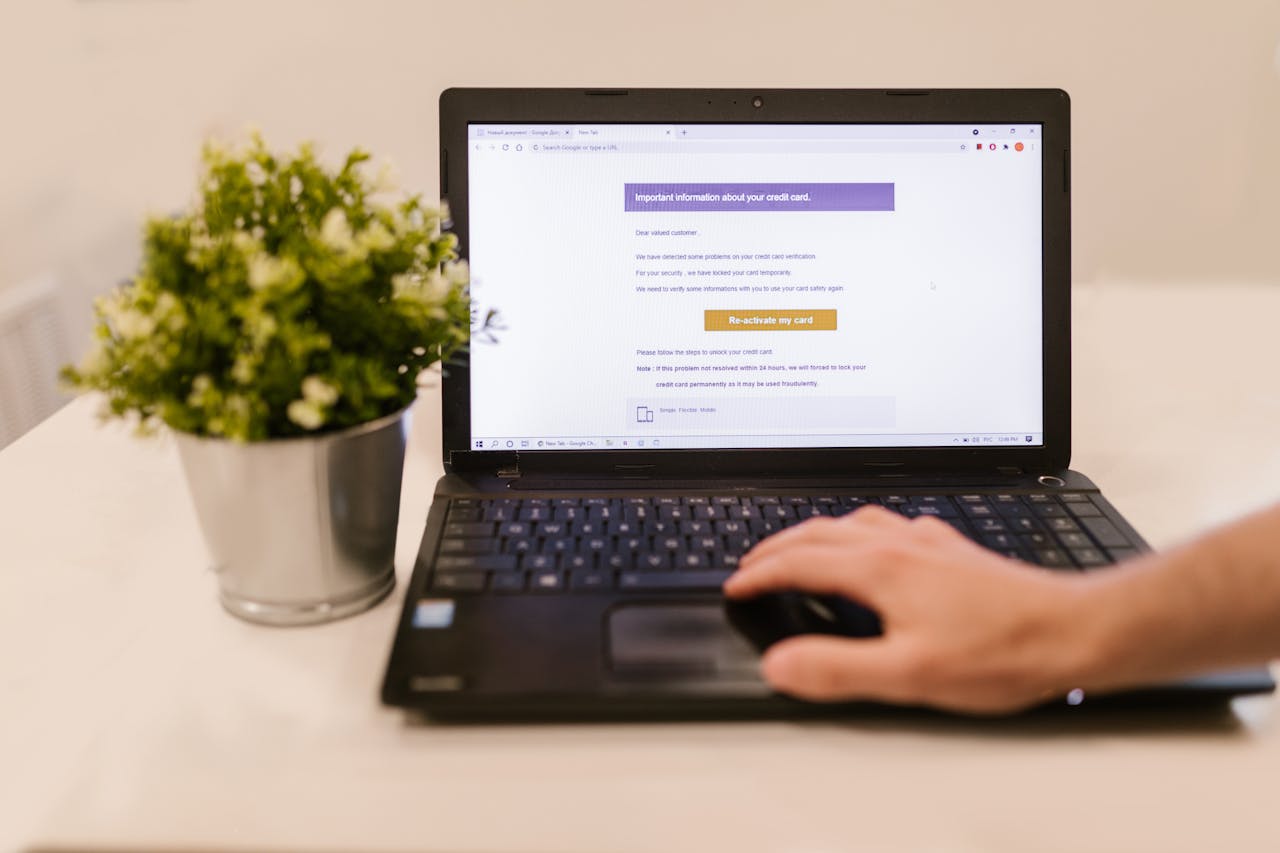
An email warning that your account was compromised, showed an unusual sign-in, or will be suspended unless you verify now, is the most-sent phishing template on the internet, and the irony is deliberate: the email is usually the attack it pretends to warn you about. The link does not secure your account. It opens a pixel-perfect copy of the login page that hands your password straight to the sender, who then really does compromise the account you were trying to protect.
Why it works on careful people
It weaponizes the correct instinct. You have been told to act fast on security alerts, so a well-made fake, right logo, right colors, a real-looking sign-in location, triggers exactly the urgency it needs. The manufactured deadline ("within 24 hours or your account is locked") exists to stop you from pausing long enough to notice the link goes somewhere wrong.
Real alert or phishing: the tells
Check the link destination
Hover the button. Real Google security mail goes to google.com, not g00gle-security.com or a link-shortener.
Check the sender domain and headers
A real alert authenticates from the company's exact domain. A lookalike or a failed DMARC means phishing.
Watch for the urgency deadline
Real providers do not delete your account in 24 hours over a login. Manufactured deadlines are a tell.
Never enter a password from the email's link
Go to the service directly instead. The real alert will be there if it is real.
If you already clicked and entered a password
Change that password immediately from a device you trust, going to the real site directly, and change it anywhere you reused it, starting with your email account, since email is the master key to password resets everywhere else. Turn on app-based two-factor. Then check which breaches your address appears in, because a reused, leaked password is what these attacks feed on.
Tracing the sender
These emails are usually spoofed or sent from disposable accounts, and the tracing guide's header checks will confirm the spoofing quickly. If a specific sender address looks real and you want to know who is behind it, a reverse email lookup can help, but the priority when you receive one of these is your own passwords, not the sender's identity.
Run a private check on any phone number
Get a 60 second report with possible owner, line type, location signals, and risk indicators. The phone owner is not notified.
Run a checkFrequently asked questions
How do I know if a security alert email is real?
Do not judge it by looks. Check where the link actually goes and whether the sender authenticates from the company's exact domain. Then ignore the email entirely and log in to the service directly; a real alert will be visible inside your real account.
I clicked the link and logged in. What now?
Change that password immediately from the real site, change it anywhere you reused it starting with your email, and enable two-factor. The attacker may already be trying the password elsewhere, so speed matters.
Why do these emails feel so convincing?
They copy real security alerts exactly and exploit your correct instinct to act fast, adding a fake deadline so you click before you check the link. The polish is the point; only the link destination and sender domain reveal the fake.
Related articles
Fake PayPal Invoice Emails: The Real-Looking Payment Scam
Fake PayPal invoice and payment emails often come from PayPal's real servers, which is what makes them dangerous.
The Sextortion Email Scam: 'I Recorded You' Explained (2026)
The sextortion email that claims to have webcam footage and demands Bitcoin is a mass bluff.
How to Trace Where an Email Really Came From
The sender name on an email is trivial to fake. How to read email headers to find the real origin, tell spoofing from a genuine sender.
Got a Verification Code You Didn't Request? Someone's Trying to Log In
An unrequested one-time code usually means someone is trying to log into your account.
Check the number. Know more.
Run a private 60 second report. The phone owner will not be notified.
Start your check